Cork7 and Shredsauce at a glance#
Both games offer solo play and online multiplayer. Start with the inputs and the kind of session you want. The table uses the original games' menus and linked official descriptions. A control shown here is a default; check your own bindings before practicing. The two games share skiing terms, but the same key can perform a different action.
| Feature | Cork7 | Shredsauce |
|---|---|---|
| Where to play | Browser game and apps for Mac, Windows, iPhone and iPad. Desktop downloads and mobile options. | Browser game and an iPhone and iPad app. Browser entrance. |
| Solo play | Solo lets you ride on your own. Official game overview. | The current game menu has Singleplayer, which opens a map list. Original game menu. |
| Online multiplayer | Live rooms, friend challenges, and ranked 1v1 and 2v2. Cork7 room and match guide. | The browser menu offers Multiplayer. Original game menu. |
| Turn, spin and flip | A/D turn or spin; W/S initiate frontflips or backflips in the air. Cork7 controls. | Left/right arrows turn or spin; up/down arrows control frontflips or backflips in the air. Shredsauce controls. |
| Pop and grabs | Hold then release Space to pop; Shift, Q and E select mute, tail and Japan grabs. Input reference. | Hold Space to crouch, release to pop; letter keys select left/right grabs and tweaks. Grab reference. |
| First-session learning tools | The official guide walks through park selection, the gondola, a kicker, a spin and reviewing the run. Your first run. | Tab sets a session marker; Enter restarts. Holding Enter returns to the default position. Practice controls. |
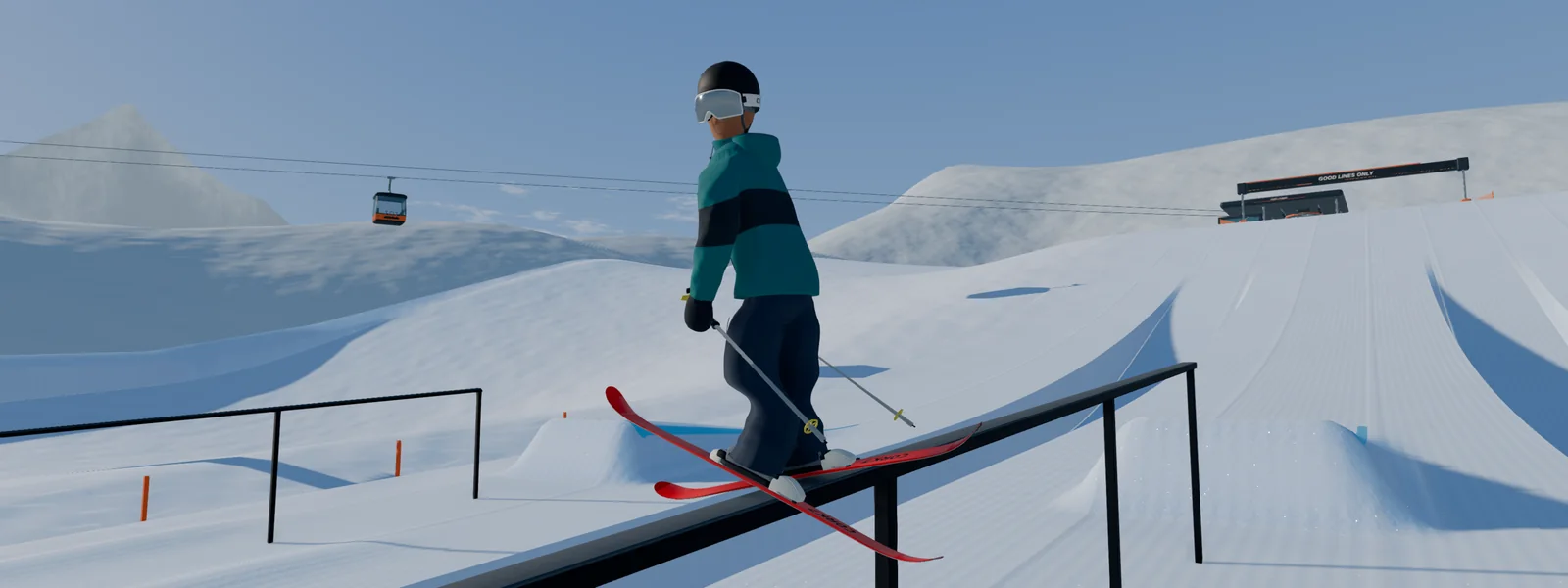
| Scene in our browser session | The Yard showed a third-person skier on a snowy mountain with trees, a gondola and rails. Cork7 Solo. | Rock A Rail by Cube showed a third-person skier in a built setting with building walls and metal structures. Shredsauce Singleplayer. |
Compared 22 October 2026. Sources are linked in each row. The Solo and Singleplayer routes and the named scenes were checked in the original browser games. Those scenes describe the two selected levels; other parks and levels have their own environments.
For a new player: choose one clear first goal#
Cork7 gives you an official sequence to follow from the lobby to a finished run. Start in Solo, select a park and take the gondola; F skips the journey. Follow our first-run guide if you want the keys beside you while learning. Your first useful result can be a straight jump with a landing you understand.
Shredsauce's session marker and restart controls give you a way to revisit an approach. Our suggested exercise is to choose one feature, learn the run-in and repeat it before adding another input. Read the official keyboard list first, especially the arrow controls and the letters used for grabs. A familiar skiing term does not guarantee a familiar button.
Neither feature list measures how quickly you will learn. Give each game a comparable short practice session: steer, pop, land, then try one spin. Notice whether you understand what changed between attempts. Choose the game whose controls you want to keep practicing.
For multiplayer: start with your friends and session plan#
Both games have online multiplayer. Cork7 documents joining a park, adding friends and meeting through the Friends panel. It also describes 1v1 competition on APEX and Big Air. Our Cork7 multiplayer guide explains the park and room choices, so everyone can agree where to meet before starting.
Shredsauce offers custom levels and grabs alongside multiplayer. Its developer updates describe the level editor, custom grabs and room features. Check the current room menu together when planning a browser session.
Decide whether the plan is a shared practice session, exploring a level or competing. Choose one feature to discuss, give each rider time to try it, and compare the approach as well as the landing. Your group can enjoy either game without turning every lap into a score contest.
For Shredsauce players moving to Cork7#
Begin by separating the trick you intend from the key you remember. Shredsauce places basic steering and rotation on arrows, while Cork7 uses A/D for steering and spin. Cork7's horizontal arrows control air roll. Pressing a familiar arrow combination can therefore produce movement you did not intend.
Relearn grabs on a straight jump. Cork7's default Shift, Q and E correspond to mute, tail and Japan. Shredsauce's published layout distributes left and right grabs across several letter keys. Try one input at a time, release it before the landing, and inspect the result before combining it with a flip.
Next, try a small spin and then a spin with a flip. Use the Cork7 tricks guide for practice ideas and the current official field guide for the latest scoring rules. A successful trick in one game does not establish the points or timing it will have in the other.
If you use Shredsauce to create levels and grabs, you can keep it for those sessions and use Cork7 to learn a different set of park lines and inputs.
Take your next run on either official site#
Play Cork7 at cork7.com or play Shredsauce at shredsauce.com. Both links lead to the original games. Keep one small practice goal for the visit, then decide which session you want to return to.
Using a school device or network? Read our school access and official links guide and check permission before opening either game.
Sources
Game controls and features may change. Refer to the original game's current settings and field guide.